
Automatic Extension of Deferral: What Has Changed for Parents of Children with Disabilities


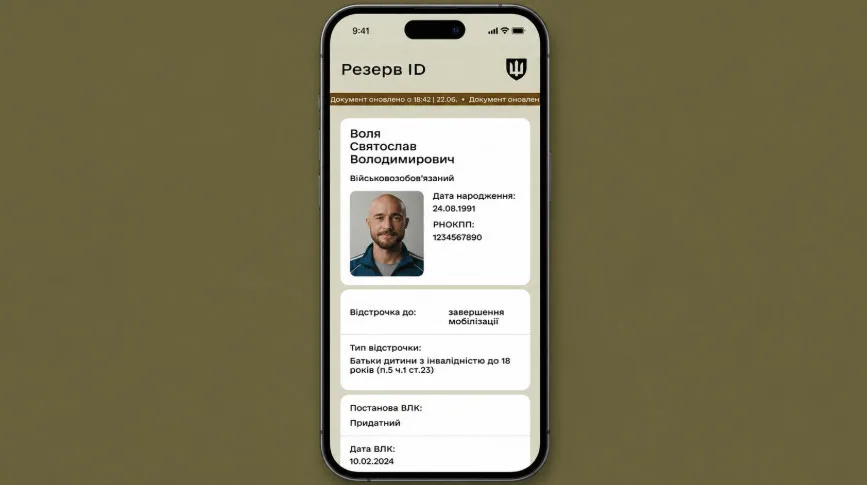










For parents of children with disabilities under 18 years of age, the procedure for verifying data for the automatic extension of deferral from mobilisation has changed.
The Ministry of Defence of Ukraine has clarified which data the system checks and what steps to take if the deferral is not automatically confirmed.
Updated Rules for Information Retrieval in Registers
The system now retrieves information about the child based on data from their most recently issued birth
certificate. This new method of searching for information about the child helps to more accurately find and confirm details in state registers.
Information about the child can also be verified using their taxpayer identification number (TIN), if available, based on data from the State Register of Civil Status Acts (DRACS).
If the deferral was not automatically extended, please check that the data concerning the child and their birth certificate are correctly entered.
For the system to successfully confirm the deferral, the Unified Information System of the Social Sphere (UISS) must contain data from the child’s most recently issued birth certificate – the one entered in DRACS and displayed in Diia. If necessary, these data can be updated through the nearest office of the Pension Fund of Ukraine (PFU).
How to Check Child’s Data in Diia
To ascertain which birth certificate data should be entered into UISS:
-
Open the Diia app.
-
Go to the "Documents" section.
-
Locate the civil status record of the child’s birth (important: this refers specifically to the civil status record, not the birth certificate itself).
-
If the civil status record is not displayed, contact the State Register of Civil Status Acts (DRACS) to check and enter the necessary data. The reason may be the absence or inaccuracy of your data in the civil status record: full name, taxpayer number (TIN), date of birth.
-
If the civil status record is displayed, click on the three dots next to it and select "Full information".
-
Check your personal data: full name, TIN, and date of birth.
-
Review the information about the child’s birth certificates and identify the one with the latest issue date.
The data from this most recently issued birth certificate must be indicated in UISS.
How to Check Child’s Data in UISS
To clarify which of the child’s birth certificates is indicated in the system, contact:
-
the social protection authority (OSZN);
-
the Pension Fund of Ukraine – in person or via the hotline.
-
Compare the information received with the data from the most recently issued birth certificate displayed in Diia.
How to Update Data
You can update the child’s medical disability certificate through the Centralised Database (CDB).
You can update the medical certificate and the child’s personal data in UISS at a Pension Fund of Ukraine office.
After updating the information in UISS, you can resubmit a request for deferral.
How to Resubmit a Deferral Request in Reserve+
After updating the data:
-
Open Reserve+.
-
Go to the "Services" section.
-
Select the deferral application.
-
Indicate the reason – having a child with a disability under 18 years of age.
-
Check the data and submit the request.
-
Await a notification with the result.
The ministry reminded that currently over 90% of active deferrals are extended automatically. If the reason for deferral remains valid and is confirmed by data in state registers, there is no need to resubmit an application or documents.
Subscribe to our Telegram channel t.me/sudua, follow SUD.UA on Google News , and join us on VIBER, WhatsApp, Facebook and on Instagram to stay informed about the important events.