What to Do If Your Telegram Account Is Hacked: Action Algorithm from the Cyber Police












Recently, attackers have been using phishing links, disguising themselves as official bots or messages from support services to gain access to messenger accounts. This was reported by the cyber police.
The agency notes that if control over your profile is lost, you can use the account recovery instructions:
- Contact Telegram support. Describe the problem in detail, provide a link to the account and the associated mobile phone number. If necessary, add screenshots. It is preferable to submit the request from the device where you used Telegram.
- Warn your acquaintances through other communication channels about the hacking of your account, as attackers may use it to spread phishing links and malware or ask for loans on controlled accounts in your name.
- Ask people with whom you have confidential or financial data correspondence, photos of documents, or other sensitive information to delete the relevant correspondence for both parties using their accounts.
"Assume by default that all passwords to other accounts or online banking stored in Telegram are compromised. Change them as soon as possible to avoid losing access to accounts on other platforms. Make sure you have set up two-factor authentication.
Try to log in to your profile again. If you are immediately logged out after authorization, continue trying later, preferably at night. If successful, choose to receive the authorization code via SMS or email, not through messages within Telegram itself," the cyber police stated.
If you ultimately fail to regain access, you can delete the account. This will destroy all chats with information, but attackers will lose access to your profile.
Noticed suspicious activity on your account but still have access? You should act as follows:
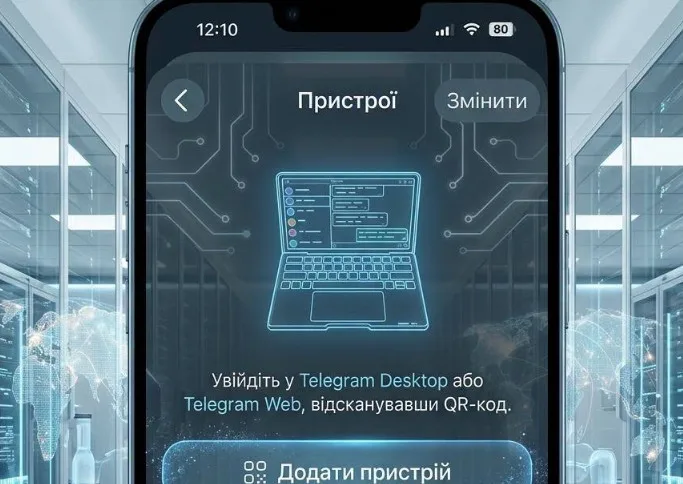
Urgently terminate all unknown sessions. To view the list of active sessions, go to "Profile" → "Devices." If in doubt, click "Terminate all other sessions."
Set up two-factor authentication. Go to "Profile" → "Privacy and Security" → "Two-Step Verification." Set a strong password known only to you and provide an email for recovery in case of loss.
Check if the email for password recovery in the "Two-Step Verification" section has been changed.
The police emphasize: do not follow suspicious links. Never share one-time confirmation codes from SMS. Official representatives of companies or government agencies do not ask for such information.
Subscribe to our Telegram channel t.me/sudua, follow SUD.UA on Google News , and join us on VIBER, WhatsApp, Facebook and on Instagram to stay informed about the important events.